Skip to content
QUEST · LV.28

Phone NFC test

Press Start scan and hold an NFC tag or card against the back of your phone. If it’s detected, the NFC hardware works — even when the card’s format can’t be read.

Runs in your browser · Nothing uploadedFree · No install

Phone NFC test

On iPhone, check it this way

no browser supports Web NFC. To check an iPhone’s NFC, use Apple Pay or the Shortcuts app’s NFC automation.

This browser can’t run this test

Web NFC works only in Chrome on Android. Samsung Internet, Firefox and every iPhone browser don’t support it — open this page in Chrome.

Press Start scan, then hold a card or tag flat against the back of the phone.

Records
—
Record types
—
Serial number
—

The serial number is shown on this screen only — never saved or sent.

The NFC antenna is usually in the middle or upper back of the phone. Move the card slowly and hold it still for a second.

iPhone: no browser supports Web NFC. To check an iPhone’s NFC, use Apple Pay or the Shortcuts app’s NFC automation.

Result

Waiting

Waiting for you to start the test.

How to use

  1. 1Turn on NFC in your phone’s settings and open this page in Chrome on Android.
  2. 2Press Start scan and allow NFC access if asked.
  3. 3Hold a tag, transit card or bank card flat against the back of the phone for a second.

Troubleshooting guide

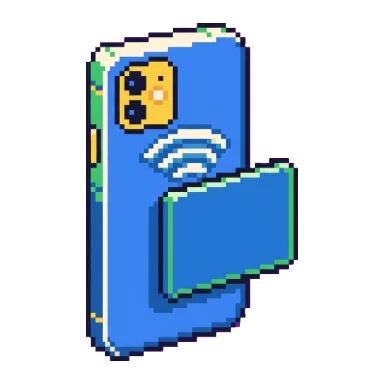
The FreeComTools mascot holding a card against the back of a smartphone with NFC signal waves

What this NFC test checks

  • Whether your phone’s NFC chip and antenna detect a card or tag held against the back of the phone.
  • For NDEF tags (stickers, key fobs, smart posters): how many records the tag has and their type (text, URL…).
  • Transit cards, bank cards and ID cards use other formats. The web can’t read their contents, but if the test says “card detected”, the NFC hardware works.

Nothing detected? Try these in order

  1. Turn on NFC. On Galaxy: Settings > Connections > NFC and contactless payments. On Pixel: Settings > Connected devices > Connection preferences > NFC. The quick settings tile works too.
  2. Remove a metal or magnetic case and any card stored inside the case.
  3. Unlock the phone and keep the screen on — NFC is off while the screen is off.
  4. Move the card slowly over the middle and upper back of the phone, then hold it still for a second.
  5. Test with another card. If no card is ever detected, check whether contactless payment works; if not, the NFC antenna may need repair.
Android, iPhone and the limits of the web

Web NFC works in Chrome 89 or later on Android. Other Android browsers may not support it yet; open the page in Chrome if the scan button is disabled.

iPhone and iPad browsers don’t support Web NFC at all, so the test shows “Not tested” there. To check an iPhone, use Apple Pay at a terminal or create an NFC automation in the Shortcuts app.

The web can only read NDEF data. It can’t read payment, transit or ID card contents, and it can’t emulate a card.

Your privacy and how to revoke access

Tag contents and the serial number are shown on this screen only and are never saved or sent. Scanning stops when you press Stop, switch apps or leave the page.

To revoke NFC access in Chrome, tap the icon left of the address bar > Permissions > NFC devices.

Frequently asked questions

Why can’t I test NFC on my iPhone?

No iPhone browser supports Web NFC. Use Apple Pay at a contactless terminal, or the Shortcuts app’s NFC automation, to check that the iPhone’s NFC works.

Can it read my transit or bank card?

It can detect the card, which proves NFC works, but the web can’t read the contents of payment, transit or ID cards. Only NDEF tags show their records.

Where is the NFC antenna on my phone?

On most phones it’s in the middle or upper part of the back, near the camera. Move the card slowly across the back and hold it still once detected.

The Start scan button is disabled. Why?

Your browser doesn’t support Web NFC. Open the page in Chrome on Android (version 89 or later).

Is the card’s data saved?

No. Record types and the serial number are shown on screen only and disappear when you leave the page.

All 29 smartphone tests →