Skip to content
QUEST · LV.05

Touch sampling rate test

Drag one finger around the box without lifting it for at least 3 seconds. Each dot is one touch sample; the test turns the time between samples into a rate in Hz.

Runs in your browser · Nothing uploadedFree · No install

Touch sampling rate test

Drag one finger around the box without lifting it for at least 3 seconds. Keep it moving — a resting finger sends no samples.

Rate—Samples0Source—

Drag one finger here in circles

This is the rate your browser receives. It may read lower than the phone’s spec because browsers batch input per frame, and it can’t show the hardware’s real sampling rate.

Result

Waiting

Waiting for you to start the test.

How to use

  1. 1Put one finger in the box and start moving it in circles.
  2. 2Keep moving without lifting until the bar is full (3 seconds).
  3. 3Read the rate, then repeat a few times to compare.

Troubleshooting guide

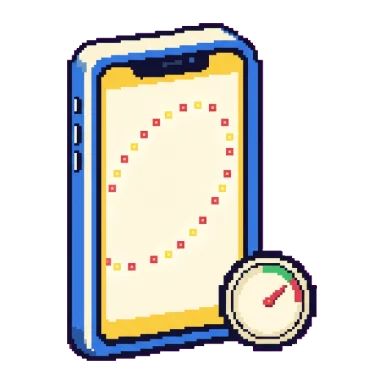
The FreeComTools mascot drawing quick circles on a smartphone screen, leaving a trail of evenly spaced dots

What this touch sampling rate test checks

  • Touch update rate: while your finger moves, the browser receives a stream of position samples. The test takes the median time between samples of one continuous drag and turns it into updates per second (Hz).
  • Measurement rules: a drag must last at least 3 seconds and contain at least 60 samples. Pauses longer than 50 ms are ignored, so stopping briefly doesn’t skew the result.
  • Source: “coalesced events” means the browser handed over the samples it collected between frames, which is closest to the hardware rate; “pointermove” means one sample per event, usually tied to the screen refresh rate.

Rate lower than expected? Try these in order

  1. Keep your finger moving the whole time. A resting finger sends nothing, so circles work better than straight lines.
  2. Turn off battery saver or power saving mode, which often lowers the refresh rate and the touch rate.
  3. Set the display to its highest refresh rate (for example Settings → Display → Motion smoothness on Galaxy phones) and turn on any game or high touch-response mode your phone offers.
  4. Close background apps, let a hot phone cool down and restart it. Thermal throttling reduces input rates.
  5. Try Chrome on Android, which provides coalesced events; other browsers may report one sample per frame.
  6. If the rate drops only with the protector on or in one area, run the swipe test to look for breaks in that spot.


Android vs iPhone, and why this isn’t the hardware spec

Phone makers quote touch sampling rates of 120, 240 or even 480 Hz. Browsers usually deliver input once per frame and pass the samples in between only as coalesced events, so a web page sees the browser’s rate, not the panel’s raw rate. On a 60 Hz screen without coalesced events, expect about 60 Hz even if the spec is higher.

Android browsers usually provide coalesced events and can read close to the touch rate. iPhone browsers often report roughly the display refresh rate. Neither can reveal the real hardware sampling rate, touch latency or controller model, so use the result to compare settings and devices, not to verify a spec sheet.

Your privacy

Only the timestamps and positions of your current drag are kept in the browser’s memory to draw the dots and compute the rate. Nothing is uploaded or stored, and no permission is needed.

Frequently asked questions

Why is my result lower than the advertised touch sampling rate?

Browsers batch touch input per screen frame, and many hand over only one sample per frame. The advertised rate is measured inside the hardware, which a web page can’t access.

Why do I need to keep moving my finger?

A finger that rests in one place sends no new samples. Moving in circles keeps a steady stream of samples, which gives the most accurate estimate.

Does the refresh rate affect the result?

Often, yes. With one sample per frame, a 60 Hz screen reads about 60 Hz and a 120 Hz screen about 120 Hz. Power saving modes that lower the refresh rate can lower the result too.

What do “coalesced events” and “pointermove” mean?

They show where the samples came from. Coalesced events include the extra samples the browser collected between frames; pointermove means one sample per event. Coalesced events are closer to the hardware rate.

Can I use this to compare phones?

Yes, as long as you use the same browser and settings on each. It compares how quickly each phone delivers touch input to the web, which is what you feel in browser games and scrolling.

All 29 smartphone tests →